Now available on your BioUtah Member Info hub:
Post your open positions on BioUtah’s Job Center and reach qualified candidates across Utah’s growing life sciences ecosystem. Manage your job listing(s) for desired publish length and posting content. Posted job listings will appear in the Job Center section of the BioUtah website. The BioUtah Job Center is included with your membership at no additional cost.
Questions? For help logging in to Info Hub or posting your job, please email Josel McCabe or call 801.867.4061.
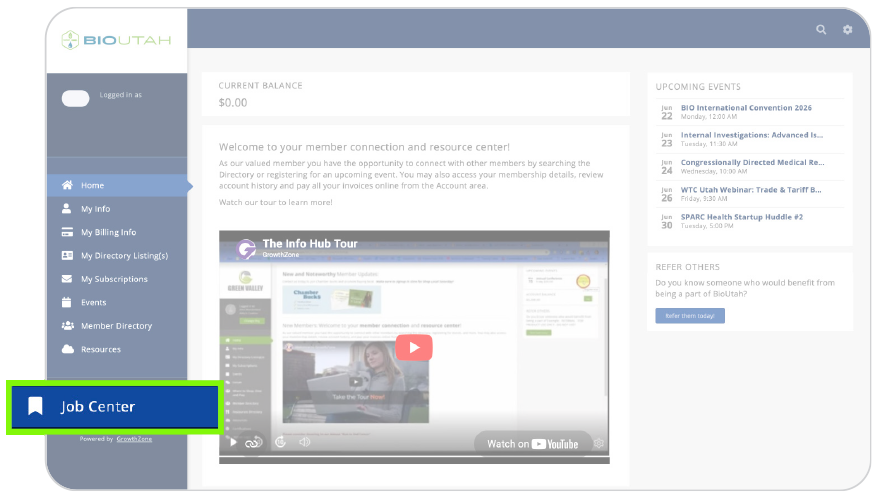
How to Add Your Job Posting to BioUtah.org — Step-by-Step: |
|
 |
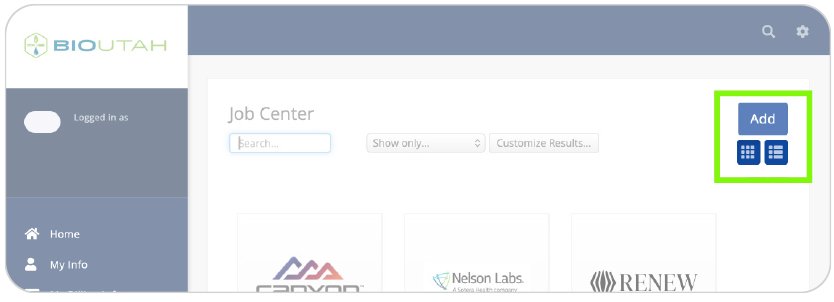
| 3. Click “Add” at the top-right of the Job Center Screen (as shown below). |
 |
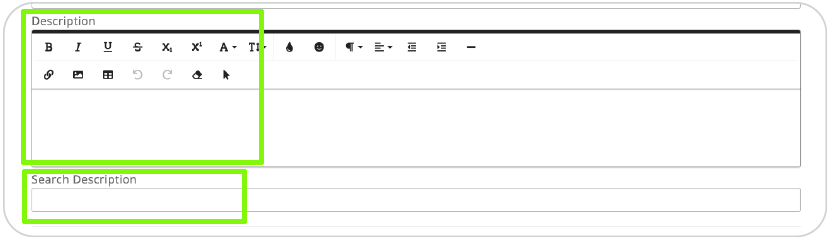
| 4. In the “Description” field (shown below), enter your full job description. ** Be sure to add the link/URL to your job application page in this field.**If you have too many jobs to post and would prefer to simply link to your own company job board/portal, you may enter the job board URL here and a brief description as you think appropriate.5. In the “Search Description” field (shown below), enter a short, 1-sentence intro for the job. This shows as an excerpt when displaying search results.If instead of an individual job, you are entering information for a job board/portal, simply put your company name and the wording “job listings” in this field. |
 |
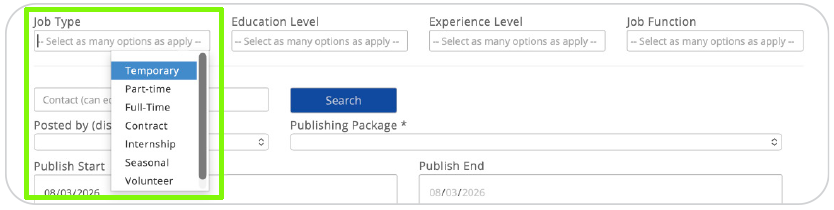
| 6. Next, select your “Job Type(s)” from the pull-down menu as shown below. |
 |
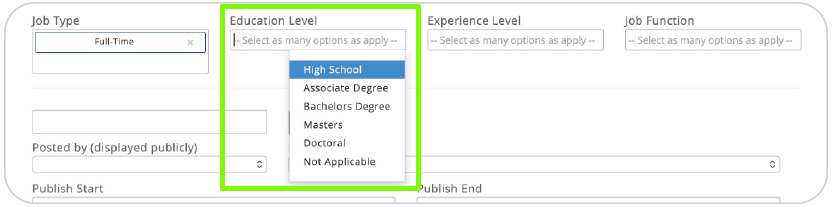
| 7. Select your desired “Education Level(s)” from the pull-down menu as shown below. |
 |
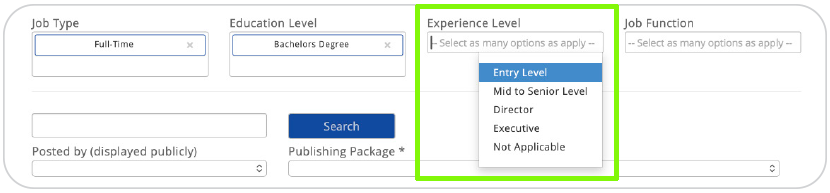
| 8. Select your desired “Experience Level(s)” from the pull-down menu as shown below. |
 |
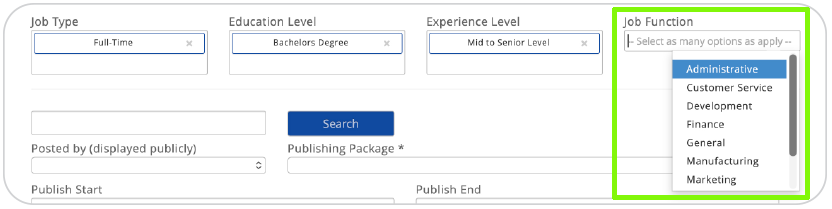
| 9. Select the “Job Function(s)” from the pull-down menu as shown below. If an exact match does appear, please notify BioUtah and we can add categories to this section. |
 |
| 10. Enter the name of the “Job Contact Person” in the field as shown below. Then, click “Search” to select the correct contact person. If the person’s name does not appear, they are not listed in your company directory in BioUtah’s InfoHub. They will need to be added to your directory in the InfoHub before they can be added here. You may also skip having a contact person listed. |
 |
| 11. Select your Company in the “Posted By” dropdown menu as shown below. |
 |
| 12. Select “60 Days – $0.00 Job Center” from the Publishing Package dropdown menu as shown below. |
 |
| 13. Enter a “Publish Start” and “Publish End” date(s) if different date(s) are desired from the pre-filled dates, as shown below. |
 |
| 14. Click the “Tag Icon” below “Search Results Image” to upload your company logo. (This logo will be displayed wherever your job posting is listed on the BioUtah website.) |
 |
| 15. *Optional: If you would like to add an additional image/images to your job posting, click the “Add Image” button to upload your image(s). |
 |
| 16. Click the “Submit” button to post your job listing. |
 |
| That’s it! Your job posting will be visible on the BioUtah website within 24 hours. |